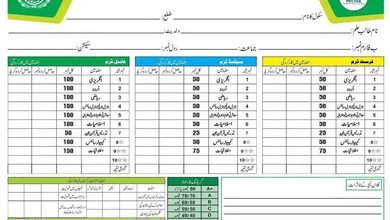
Online Monthly Quick Test Register

| # | Student Name | English | Urdu | Islamiyat/Ethics | Science/Physics | G.K/Chem/CS | Math/Bio | Total Marks |
Obt. Marks |
Remarks (ایڈیٹ کریں) |
|---|---|---|---|---|---|---|---|---|---|---|
| 1 | 0 | |||||||||
| 2 | 0 | |||||||||
| 3 | 0 | |||||||||
| 4 | 0 | |||||||||
| 5 | 0 | |||||||||
| 6 | 0 | |||||||||
| 7 | 0 | |||||||||
| 8 | 0 | |||||||||
| 9 | 0 | |||||||||
| 10 | 0 | |||||||||
| 11 | 0 | |||||||||
| 12 | 0 | |||||||||
| 13 | 0 | |||||||||
| 14 | 0 | |||||||||
| 15 | 0 | |||||||||
| 16 | 0 | |||||||||
| 17 | 0 | |||||||||
| 18 | 0 | |||||||||
| 19 | 0 | |||||||||
| 20 | 0 | |||||||||
| 21 | 0 | |||||||||
| 22 | 0 | |||||||||
| 23 | 0 | |||||||||
| 24 | 0 | |||||||||
| 25 | 0 |
Modern Classroom Assessment: Maximizing Student Performance with the Online Monthly Quick Test Register
Continuous evaluation lies at the heart of impactful pedagogy. For decades, educators have shouldered the administrative burden of calculating monthly exam scores, compiling manual progress reports, and maintaining physical paper ledgers. This labor-intensive record-keeping commonly diverts valuable moment away from differentiated instruction, remedial coaching, and active pupil engagement.
The Online Monthly Quick Test Register on Schools STI addresses this fundamental classroom bottleneck. Built specifically for institution administrators, subject teachers, and academic coordinators, this lightweight web utility digitizes the entire assessment ledger workflow. By combining automated percentage and grade computations with instant printable records, the application bridges everyday formative quizzes with structured institutional record-keeping.
What Is the Online Monthly Quick Test Register?
The Online Monthly Quick Test Register is a purpose-built educational management application designed to streamline monthly and formative score logging in schools and tuition academies. Instead of manually tabulating marks on paper rosters or wrestling with complex desktop spreadsheets, educators enter student names, roll numbers, total marks, and obtained scores directly into an intuitive, responsive interface.
The utility instantly calculates:
- Individual obtained percentages and standard letter grades.
- Cumulative class metrics (averages, highest/lowest scores, pass/fail ratios).
- Formatted, print-ready registers and exportable data summaries.
By standardizing record entry, the utility reinforces modern formative evaluation practices that educational researchers identify as crucial for closing learning gaps early.
Why Continuous Assessment Matters in 21st-Century Classrooms
Academic success seldom depends on high-stakes final examinations alone. Frequent low-stakes assessments—such as weekly check-ins and monthly subject tests—yield actionable data that helps teachers address conceptual misconceptions before they compound.
According to research from Cambridge Assessment, classroom assessment data is most potent when used formatively to adjust instructional pace and target individual weaknesses. Furthermore, policy studies documented by UNESCO MGIEP highlight how integrating accessible digital tools into everyday assessment routines significantly improves data reliability and reduces teacher workload across developing educational infrastructures.
When paired with modern pedagogical resources like Edutopia’s formative assessment strategies, authentic-moment grade tracking transforms static mark sheets into active blueprints for student growth.
Key Features of the Quick Test Register Utility
The register provides a balanced blend of simplicity, speed, and analytical depth.
1. Dynamic Student Entry and Batch Processing
- Flexible Row Expansion: Add or remove candidate rows on demand to accommodate varying class sizes.
- Instant Calculation Engines: Calculates percentage, pass/fail status, and grade allocations immediately as data is entered.
- Zero Software Installation: Functions directly within mobile browsers, tablets, and desktop computers without requiring heavy database software.
2. Error Mitigation and Validation
- Prevents data-entry inaccuracies, such as assigning obtained scores higher than total viable marks.
- Highlights incomplete fields or non-numeric inputs automatically.
3. Integrated Assessment Workflow
Educators can seamlessly draft test questions using the Quick Classroom Test Paper & Worksheet Maker, administer the exam, and record outcomes immediately in the Online Monthly Quick Test Register to maintain a cohesive academic audit trail.
Standardized Grading and Benchmark Architecture
The table below illustrates the standard performance scale configured within institutional test registers:
| Score Percentage Range | Letter Grade | Academic Descriptor | Recommended Teacher Action |
|---|---|---|---|
| 80% – 100% | A+ / A | Exceptional / Mastery | Advanced enrichment tasks, peer mentorship |
| 70% – 79% | B | Proficient / Solid | Targeted practice on complex analytical questions |
| 60% – 69% | C | Satisfactory / Average | Core concept review, guided homework review |
| 50% – 59% | D | Marginal / Needs Support | Structured remedial worksheets, after-academy assistance |
| Below 50% | F | Unsatisfactory | Parent-teacher conference, diagnostic re-testing |
Traditional Paper Registers vs. Online Quick Test Register
Transitioning from analog paper notebooks to an automated online register brings tangible advantages across administrative, pedagogical, and compliance dimensions:
| Evaluation Dimension | Traditional Paper Logbook | Generic Desktop Spreadsheets | Online Monthly Quick Test Register |
|---|---|---|---|
| Setup Time | 20–30 minutes per class (ruling lines, writing headers) | 15–20 minutes (configuring formulas) | < 2 minutes (pre-structured template) |
| Calculation Accuracy | Vulnerable to manual calculation errors | High (if formula syntax is maintained) | Automated, consistent, and error-checked |
| Portability & Access | Heavy physical register stored in school office | Restricted to desktop computers | Accessible on mobile phones, tablets, and PCs |
| Inspection Readiness | Prone to ink blots, wear, and physical damage | Requires local export and formatting | Instant, standardized print and PDF layouts |
| Cost & Dependencies | Recurring stationary expenses | Requires software licenses or technical training | Free web utility accessible anywhere |
Step-by-Step Guide: How to Generate Your Monthly Register
- Access the Utility: Open the Online Monthly Quick Test Register in your browser.
- Set Administrative Metadata: Fill in your institutional details, including institution name, class/section, subject title, testing month, and maximum allowable marks.
- Populate Student Records: Enter learner roll numbers, candidate names, and raw obtained scores.
- Review Computed Outputs: Verify that individual grades and overall classroom pass rates reflect accurate totals.
- Print or Export: Use your browser’s native print function (
Ctrl + P/Cmd + P) to generate a clean, official PDF copy or print an archival ledger for departmental verification.
Frequently Asked Questions (FAQs)
What is the primary purpose of the Online Monthly Quick Test Register?
It offers a streamlined, automated platform for teachers to record monthly classroom test scores, compute percentages and grades automatically, and produce clean printable registers for administrative inspections and parent-instructor meetings.
Can this register be accessed on a smartphone?
Yes. The interface is optimized for all screen sizes, allowing teachers to record test scores directly on smartphones or tablets inside the classroom or staff room.
How does this application integrate with term assessments?
Monthly quiz records provide formative baselines that inform larger term evaluations, such as the official PECTAA School-Based Assessments, ensuring educators track learning progressions systematically throughout the academic twelve months.
Is technical training or software installation required?
No technical expertise or local software installation is needed. The instrument runs directly in standard web browsers with intuitive input fields and pre-programmed mathematical formulas.
Analysis
- Administrative Burden Reduction: Replacing manual grading ledgers with automated calculations saves teachers several administrative hours each month, allowing more focus on lesson planning and classroom delivery.
- Accuracy and Consistency: Automated grading formulas eliminate calculation discrepancies, ensuring that student standings and class performance analytics remain objective and reliable.
- Parental and Inspection Compliance: Readily printable summary sheets improve institutional transparency, simplifying parent-teacher conferences and academic monitoring visits.
- Workflow Continuity: Connecting test generation, score logging, and final report cards creates an complete-to-finish digital ecosystem for modern academy administration.
Opinion
The Online Monthly Quick Test Register exemplifies how targeted, practical digital utilities can solve persistent operational hurdles in general and personal education. Rather than demanding that educators master complicated enterprise resource planning (ERP) platforms or expensive proprietary software, this tool focuses on solving one universal task with speed and precision. For headteachers seeking institutional consistency and classroom teachers striving to reclaim instructional duration, adopting this digital ledger is a logical, high-impact upgrade to standard classroom assessment routines.